
Why Grammarly Triggers Turnitin AI Detection (How to Fix It)

In a Reddit post, a student explained that even when you write the core content yourself, Grammarly can unintentionally make your work look more AI-generated.
The issue comes down to how the tool changes your sentence patterns and overall syntax.
Understanding this connection helps you see exactly why Turnitin reacts—and how to edit safely to reduce the risk.

Quick Answer to Why Grammarly Triggers Turnitin (And How To Fix It)
Using Grammarly can trigger Turnitin’s AI writing detection mainly when it rewrites your sentences in predictable, standardized ways.
These patterns resemble AI-generated text because they remove the natural variation in sentence structure that detectors expect.
The fix is to focus on basic edits like spell checking or light grammar corrections, and avoid full rephrasing or paragraph-level rewrites.

Grammarly can sometimes trigger Turnitin’s AI writing detection when it heavily rewrites or restructures sentences. Large rewrites may produce text that becomes too uniform and predictable, which can resemble patterns often found in AI-generated writing.
In contrast, basic edits like spelling fixes or light grammar corrections are usually safe because they do not significantly change your writing style. The issue tends to appear when features such as “rewrite,” “rephrase,” or paragraph-level suggestions substantially alter sentence structure.
Turnitin’s AI detection looks for patterns such as highly consistent sentence structure and predictable wording. When Grammarly removes the natural variation in sentence length and phrasing—sometimes called human burstiness—the writing can appear more machine-like.
To avoid this, try to preserve your original sentence patterns and voice, using Grammarly mainly for small corrections that improve clarity without rewriting your ideas.
TL;DR
Spell check → safe
Basic grammar correction → usually safe
Sentence or paragraph rewrites → higher risk
Keep natural sentence variation → protects your writing voice
Use Grammarly as an editor, not a rewriter
Key Turnitin Concepts Behind Grammarly AI Flags
Understanding why Grammarly edits can trigger Turnitin AI detection starts with knowing what Turnitin is actually looking for. Turnitin doesn’t judge your honesty—it analyzes patterns in your text.
One of the main signals is predictable syntax, meaning sentences that are overly uniform in structure and word choice.
When you let Grammarly rephrase or rewrite multiple sentences, it often produces consistent patterns that resemble AI-generated text. This is exactly what Turnitin flags.
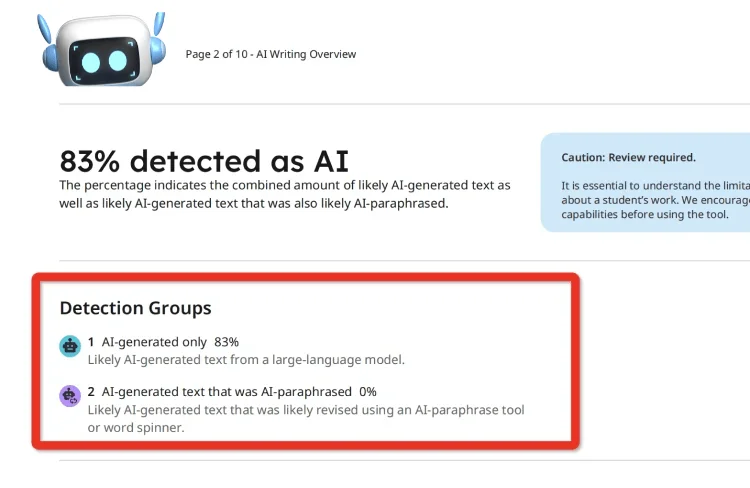
Another important concept is “human burstiness.” Human writers naturally vary sentence length, rhythm, and phrasing.
This variation—short sentences mixed with longer, complex ones—is a subtle signal to Turnitin that the text is human-written.
If Grammarly smooths all sentences into a uniform, professional style, it reduces this burstiness, increasing the AI detection score.
Turnitin also considers similarity context through its Match Overview and AI indicators. While Match Overview is usually about content overlap, the AI indicator looks specifically at stylistic patterns, syntax, and lexical choice.

Heavy Grammarly rewriting can inadvertently create patterns that these indicators interpret as non-human.
Finally, Turnitin settings can affect sensitivity. For instance, some institutions adjust how strictly the AI indicators assess predictable syntax, while others may weight sentence variation differently.
This means the same Grammarly edits might trigger different AI scores depending on the assignment or class settings.
In practical terms, understanding these concepts helps you use Grammarly more safely. By sticking to light grammar corrections, avoiding full sentence rewrites, and preserving your natural sentence variation, you maintain the human-like patterns Turnitin expects.
Recognizing how predictable syntax, human burstiness, and AI indicators work together allows you to edit confidently without unnecessarily increasing AI detection risk.
How Grammarly Rewriting Changes a Turnitin AI Report
Once you understand Turnitin’s focus on predictable syntax and human burstiness, it’s easier to see how Grammarly affects your AI report.
When you use features that rephrase sentences or restructure paragraphs, Grammarly tends to standardize your syntax, producing a uniform, polished style.
While this makes your writing look clean, it can reduce the natural variation Turnitin expects from human text.
This change shows up in your AI indicator. Turnitin scans the final submission for patterns in sentence length, structure, and word choice.
If many sentences follow the same rhythm or style, the system may assign a higher AI likelihood score. Even if your ideas are fully original, the pattern itself can be flagged.
You can think of it this way: Grammarly is shifting the focus from what you wrote to how it looks.
Minor grammar fixes rarely alter AI signals, but paragraph-level rewrites remove the quirks that make your writing human.
Practical takeaway:
Spell check and light grammar corrections → safe
Full sentence or paragraph rewrites → increase AI risk
Preserve your natural sentence lengths and structures wherever possible
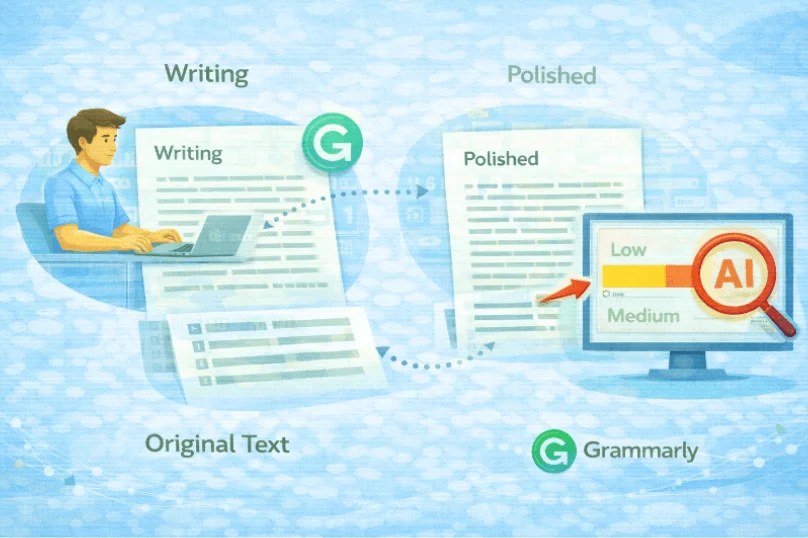
By keeping an eye on how Grammarly reshapes your text, you maintain more control over your Turnitin AI score.
How to Fix Grammarly Use So It Doesn’t Trigger Turnitin
Now that you know how Grammarly rewriting can increase Turnitin’s AI score, the next step is adjusting how you use it.
The goal is to improve clarity and correctness without erasing your natural sentence patterns.
Start with basic corrections. Spell checks and minor grammar fixes are usually safe and won’t interfere with your “human burstiness.”
Focus on correcting typos, punctuation, or small agreement errors.
Avoid using features that rephrase sentences or restructure paragraphs. These tools can create uniform, predictable syntax that Turnitin flags.
Instead, accept only edits that improve clarity while keeping your original rhythm and sentence length.
A few practical tips:
Review every suggestion carefully and reject changes that feel too polished or standardized.
Keep short, medium, and long sentences in your text to preserve natural variation.
Let your original voice shine—even “weird” phrasing is better than completely uniform AI-style text.
By using Grammarly in this controlled way, you maintain your writing style and reduce the risk of Turnitin interpreting your work as AI-generated, while still benefiting from basic editing support.
When Grammarly Starts Sounding Like AI Instead of You
Once you understand how to use Grammarly effectively, it’s important to recognize when the tool starts taking over your voice.
Even with good intentions, features like sentence rephrasing or paragraph restructuring can gradually remove the unique quirks that make your writing human.
This is when your text may start to resemble AI-generated content. One Reddit commenter noted that extensive editing can make Grammarly outputs feel similar to GPT-style writing.
The more uniform your sentences and word choices become, the higher the chance Turnitin’s AI indicator may flag your work—even if all ideas are original.
To prevent this, focus on retaining your personal style:
Preserve natural sentence length variation.
Keep your word choices and phrasing when they express your voice.
Use Grammarly suggestions sparingly, accepting changes only when they improve clarity without standardizing your text.
Tools like Turnitindetector can help as a pre-submission check if you’re worried about AI-style signals.

It allows you to see sections that may appear overly uniform, giving you the chance to tweak phrasing while maintaining your natural voice.
Remember, there’s no exact threshold for when your writing “stops” sounding human. The key is noticing when your edits are smoothing away individuality and adjusting accordingly.
Maintaining your distinct voice helps Turnitin see your work as human-written, while still benefiting from light editing.
How to Find a Reliable Turnitin Detector?
After realizing how Grammarly edits can influence your Turnitin report, you might wonder if there’s a safe way to preview your work. When official Turnitin submissions are limited or temporarily unavailable, a reliable detector can help you spot potential issues early.
A good Turnitin AI detector should let you check similarity and AI-related indicators without needing a school or instructor account. Tools like Turnitindetector is a good choice.
Key Features of Turnitindetector:
Turnitin Similarity Report – Quickly assess how much of your paper matches other sources, helping you identify areas for revision.
Turnitin AI Checker – See exactly how your work will be evaluated by your professor, with an AI report that matches Turnitin’s review.
No Account Required – Use the tool without the need for a school or instructor account, making it accessible and convenient for everyone.
Conclusion:
It’s normal to worry that Grammarly might trigger Turnitin AI detection, especially when you want your work polished.
The core issue is predictable, uniform sentence structure caused by heavy rewriting. The best next step is to focus on light corrections—spell check and minor grammar edits—while keeping your original sentence patterns intact.
This way, your writing stays clearly human, and you can submit your work with more confidence.