

Accurate Turnitin AI Plagiarism Checker for Students
Turnitin AI Plagiarism Checker for Students – T-detector
Our Turnitin AI plagiarism checker for students lets you preview potential AI detection and similarity results before submitting your assignment.
Once our Turnitin AI plagiarism checker for students scans your file, you’ll receive a Similarity report and an AI report.
- Your document will never be added to the Turnitin database.
3 Easy Steps to Use the Turnitin AI Plagiarism Checker for Students
Upload your document and launch the Turnitin AI plagiarism checker for students with a single click.

Track your paper while the report is being prepared. Most reports are completed within 5–20 minutes.

Download your finished report once it's available. Reports remain accessible for 24 hours before being automatically deleted.

Your Privacy Is Our Priority
Our Turnitin AI plagiarism checker for students is designed for secure, one-time scans while keeping your documents and privacy protected.
No Repository Storage
Your paper is not uploaded to any Turnitin repository or stored in external databases.
Automatic Deletion Within 24 Hours
All uploaded files and generated reports are automatically deleted from our system within 24 hours.
Delete Your Data Anytime
You can remove your data whenever you want, giving you complete control over your documents.
Advanced Encryption Security
We protect your information with advanced encryption throughout every Turnitin AI plagiarism checker for students scan.
Features
Why Students Choose T-detector as a Turnitin AI Plagiarism Checker for Students
T-detector acts as a Turnitin AI plagiarism checker for students, helping you spot potential similarity issues and AI detection risks before you submit your assignment.
Detailed Report Analysis
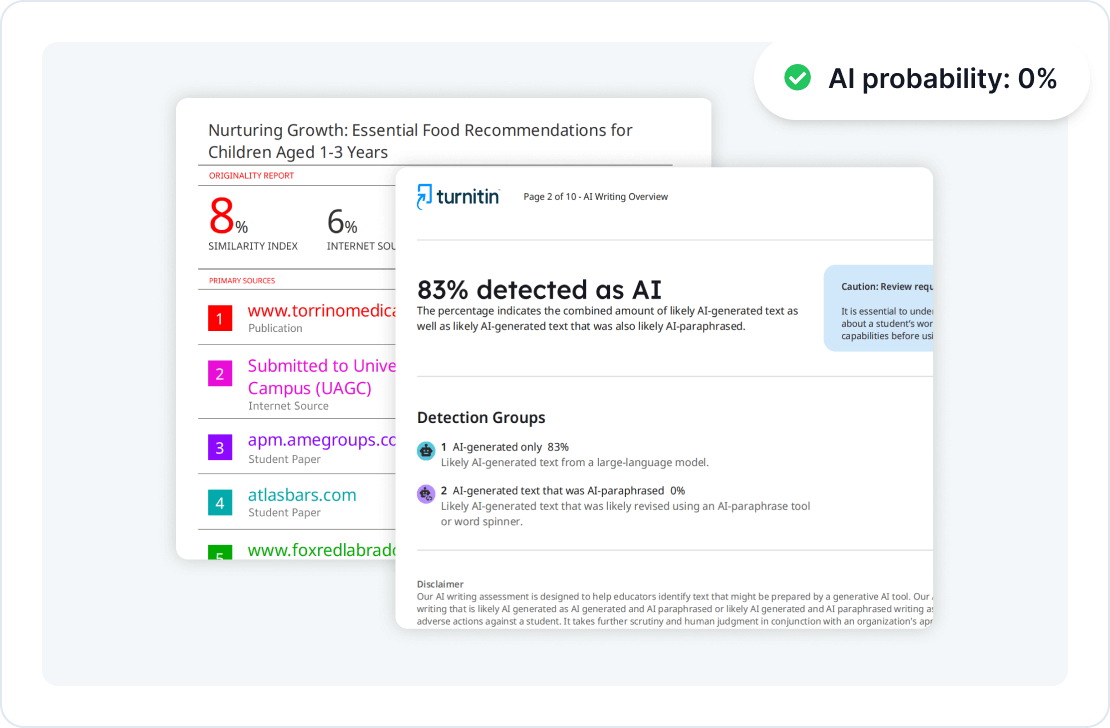
See the Same Type of Turnitin Report Your Instructor Sees
Our Turnitin AI plagiarism checker for students creates reports in a format similar to the one instructors typically view in their Turnitin accounts. Each report includes AI probability indicators, paraphrased AI signals, and similarity analysis, giving you a clear picture of how your assignment may be assessed.
Support Academic Integrity Before You Submit
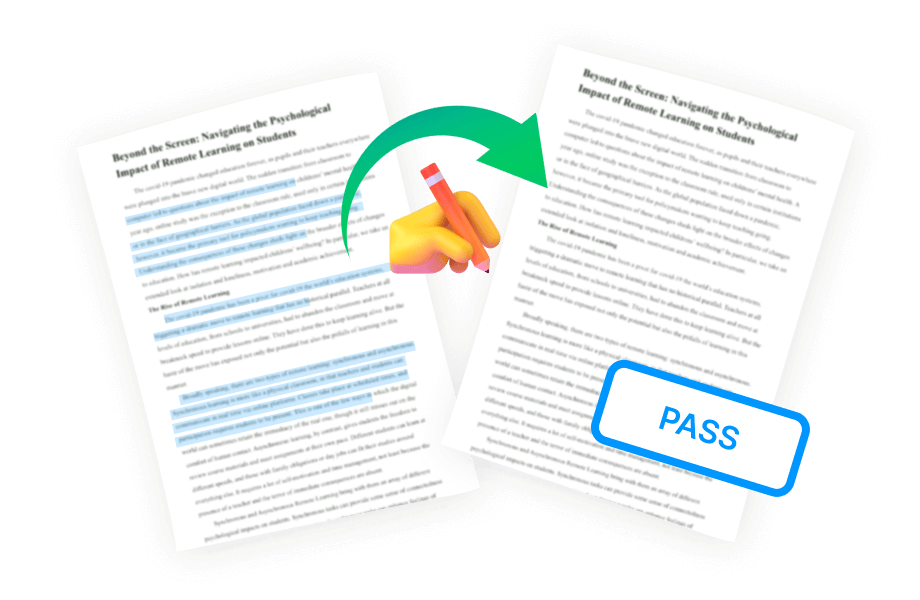
Review your report before turning in your assignment. This Turnitin AI plagiarism checker for students gives you the opportunity to refine your writing, lower AI detection risks, and improve originality before submitting your work through Turnitin.
Security & Privacy
Your Paper Never Enters the Turnitin Database
You don't need a personal Turnitin account to use this Turnitin AI plagiarism checker for students. Files analyzed through our service are never added to the Turnitin database, helping reduce the risk of a future 100% similarity match.

Receive a Complete Turnitin Report in Minutes
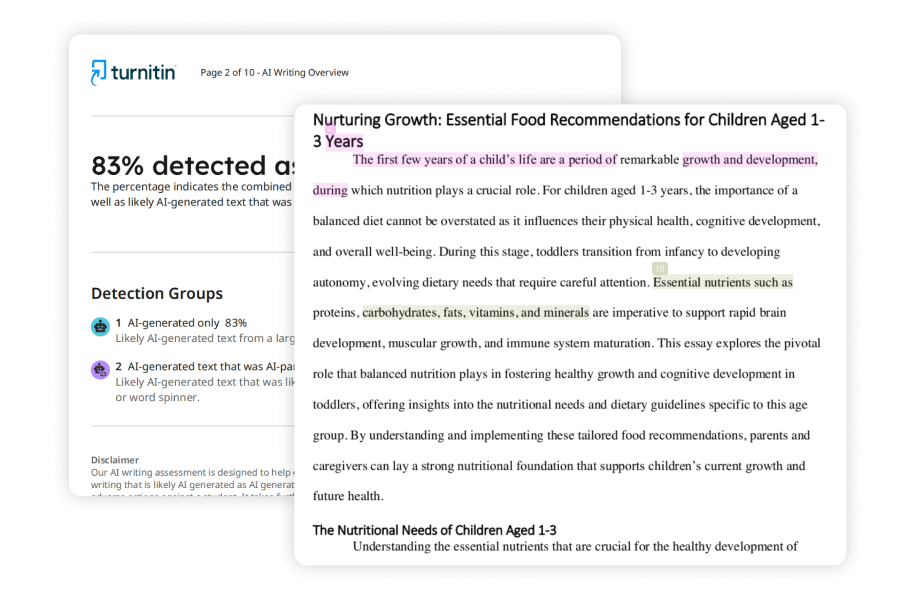
Get your Turnitin report in approximately 5–20 minutes. The report highlights sentences that could trigger plagiarism or AI detection, making it easier to revise targeted sections and strengthen your paper.
FAQ
Frequently asked questions about using T-detector as a Turnitin AI plagiarism checker for students.
Why doesn't T-detector store or index my paper?
Our Turnitin AI plagiarism checker for students performs every scan without repository storage. Your document is processed only to create the report and is never uploaded to the Turnitin database, regardless of how many times you run a check.
What does *% mean in a Turnitin AI report?
In a Turnitin AI report, a *% result generally indicates that the estimated AI-generated content is between 1% and 19%. Instead of displaying an exact percentage, Turnitin uses *% because small amounts of AI-generated content cannot always be measured with high precision. If the AI score is 0% or 20% and above, the report typically displays the exact percentage. In most academic settings, a *% result represents a low likelihood of AI-generated writing and is often considered acceptable, depending on your institution's policy.
Will my results match my school's Turnitin report?
Yes. If you check the same version of your paper, the AI detection and similarity results should closely match the report generated by your school's Turnitin system. Any revisions made after using the Turnitin AI plagiarism checker for students may affect the final score.
Do references count toward the Turnitin similarity score?
No. Reference lists are generally excluded from Turnitin similarity calculations, following the standard academic settings widely used by universities and scholarly journals.
Why wasn't my Turnitin AI report generated?
AI analysis may not be available if your document is written in an unsupported language or if it contains fewer than 320 words or more than 29,999 words. Turnitin AI detection currently supports only English, Spanish, Japanese and Arabic.
Can I check a paper that has already been submitted to my school's Turnitin?
Yes. However, if your paper is already stored in the Turnitin database, running another similarity check may produce a high similarity score because it matches the existing submission. This is expected behavior and does not affect the AI detection results.
Which languages are supported by T-detector?
Turnitin supports similarity reports in more than 30 languages, while its AI detection feature is currently limited to English, Spanish, Japanese and Arabic.
Articles
Turnitin Tips & Tutorials
Guides for Turnitin reports, AI checks, accounts, and more.