
What Does This Turnitin Similarity Score Colour Mean?

In a Reddit post, a student shared how worried they were when a grey background appeared on an 8% similarity score just days before submitting a dissertation.
Even though unusual colours can feel alarming, they often don’t indicate a problem.
Understanding how Turnitin colours work can help you see why this display happens and what it really means.This leads us to a clear answer about what the grey similarity score colour actually signifies.

Quick Answer to ‘What Does the Grey Similarity Score Colour Mean?’
In a Turnitin Similarity Report, grey usually indicates a very low Turnitin similarity score. When you see something like grey with 8%, it means that only a small portion of the text matches other sources in Turnitin’s database.
A grey score generally suggests that the matches are minor or scattered, such as:
common phrases
short matches across many sources
properly cited references or quotations
Because the percentage is low, Turnitin marks it in grey to show minimal similarity. This typically means the paper contains mostly original writing, though instructors may still review the matched sections to understand the context.

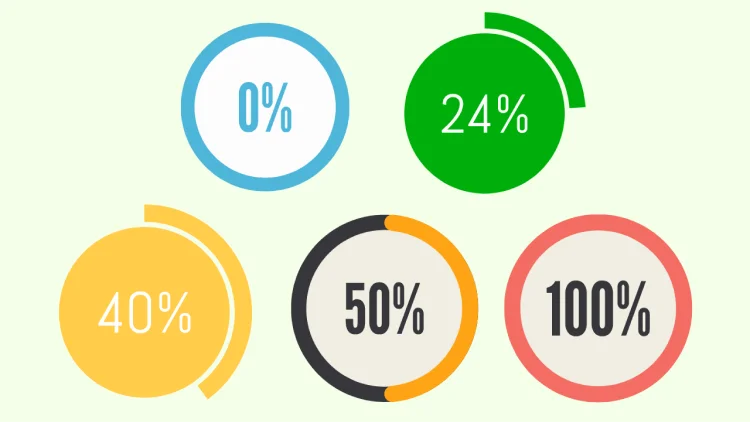
Turnitin uses different colors to quickly show how much of the paper matches existing sources:
Grey (0–9%) – Very low similarity. Matches are minimal and usually scattered across sources.
Green (10–24%) – Low similarity. Some matching text appears but is still relatively limited.
Yellow (25–49%) – Moderate similarity. A noticeable portion of the paper matches other sources.
Orange (50–74%) – High similarity. Large sections of text overlap with existing sources.
Red (75–100%) – Very high similarity. Most of the document matches other material.
These colors do not automatically indicate plagiarism. They simply help instructors quickly interpret the similarity percentage and review the matched text in context.
Key Turnitin Concepts You Need for This Question
Since the grey background colour is unfamiliar, it helps to understand the Turnitin features behind it.
Turnitin evaluates submissions by comparing your text to a vast database of sources, generating a similarity score.
This percentage reflects how much of your paper matches existing content, including published work, student papers, and web pages.
Low scores—like 8% in this case—usually indicate minimal overlap and are often considered safe, though exact thresholds can vary by institution or assignment settings.
Turnitin also uses a colour-coded background for each similarity score to make it easier for instructors to spot high matches at a glance.
Typically, green signals low similarity, amber is moderate, and red indicates high similarity.
Very low scores sometimes appear with lighter colours or grey backgrounds depending on the platform (like Moodle or Canvas) and text readability settings. The colour itself does not change what the similarity score means.

Another key feature is the match list, which shows which sources Turnitin found as potential overlaps.
Clicking on your score allows you to inspect the matches—often references or common phrases rather than flagged plagiarism.
This can help reassure you that your work is fine or highlight any areas that need proper citation.
Finally, platform-specific settings can affect how scores and colours appear.
Some universities may customize Turnitin’s colour ranges, background shades, or reporting style, which explains why you might see a grey background you haven’t encountered before. These adjustments are visual and don’t usually indicate an error.
Understanding these Turnitin concepts—the similarity score, colour coding, match list, and platform settings—helps you interpret your report accurately.
Knowing that grey is likely just a visual choice lets you focus on the number and matches rather than the unfamiliar display.
Interpreting Low Similarity Scores and Colour Alerts
Now that you understand Turnitin’s basic concepts, it’s easier to see why your grey background isn’t alarming.
The similarity score itself matters far more than the colour. For example, an 8% score is low, meaning very little of your submission matches other sources.
Many institutions consider scores under 15% safe, though exact limits depend on your assignment settings.
The colour-coded background is just a visual guide for instructors. Green usually signals low similarity, amber indicates moderate overlap, and red flags higher matches.
Very low percentages, like your 8%, can appear grey or a light colour on some platforms—this is mostly a readability adjustment, not a warning.
Even if the colour is unusual:
Don’t panic over a grey background; focus on the number.
Check the match list if you want reassurance—it often only shows references or common phrases.
Remember that platform settings, like Moodle or Canvas, can change how low scores display.
By interpreting both the score and the colour together, you can see that low similarity with an unusual background usually isn’t a problem.
Understanding this helps reduce anxiety and lets you focus on reviewing any minor matches before submission.
What to Do If You’re Unsure About Your Turnitin Report
After understanding similarity scores and colour alerts, it’s normal to feel uneasy if your report shows an unfamiliar background, like grey.
The good news is that in most cases, low scores don’t indicate a problem.
If you want extra reassurance:
Try a Turnitin score estimator: it helps you estimate your score before the final submission.
Click on the similarity score to view the match list. Most matches are often references or common phrases, not plagiarism.
Check citations and references to ensure they are complete and properly formatted. This can prevent minor overlaps from inflating your score.
Review institutional settings if you’re curious; different platforms, like Moodle or Canvas, may display colours differently for readability.

Avoid overthinking the colour itself—your focus should be on the matches and ensuring proper citation. Only take further action if your instructor flags a specific concern.
By taking these steps, you can confirm your submission is in good shape and reduce stress before a deadline.
Knowing what to check gives you confidence and helps you submit without unnecessary worry about unfamiliar Turnitin colours.
Using a Reliable Turnitin Detector
If you’re still feeling anxious about your Turnitin report, a Turnitin detector like Turnitindetector can provide extra reassurance. It works the same as Turnitin by scanning your text for matches against online sources and databases, giving you a preliminary similarity score.

Key Advantages:
Comprehensive Similarity Report – Get a detailed preview of your paper’s similarity score, helping you see which areas need revision before submitting.
Turnitin AI Content Detection – The tool checks for any AI-generated content, showing you exactly how your paper would appear under review, similar to what your professor would see.
Privacy and Safety – Your paper is not stored or submitted anywhere, so you don’t have to worry about it being added to any database, ensuring that your final submission remains unaffected.
T-detector gives you an added layer of confidence by providing the tools to make sure your work is ready for submission.
Conclusion
If you see a grey similarity score on Turnitin, it usually isn’t a problem—especially with a low score like 8%.
The colour is primarily a visual aid for instructors, and your submission is unlikely to be flagged for plagiarism. Focus on checking your references if you feel unsure, but otherwise, there’s no need to change your work.
Take a deep breath, review the matches if you want, and submit your dissertation knowing the grey background doesn’t indicate a mistake.