
How Can I Access Turnitin for My Paper Submission?

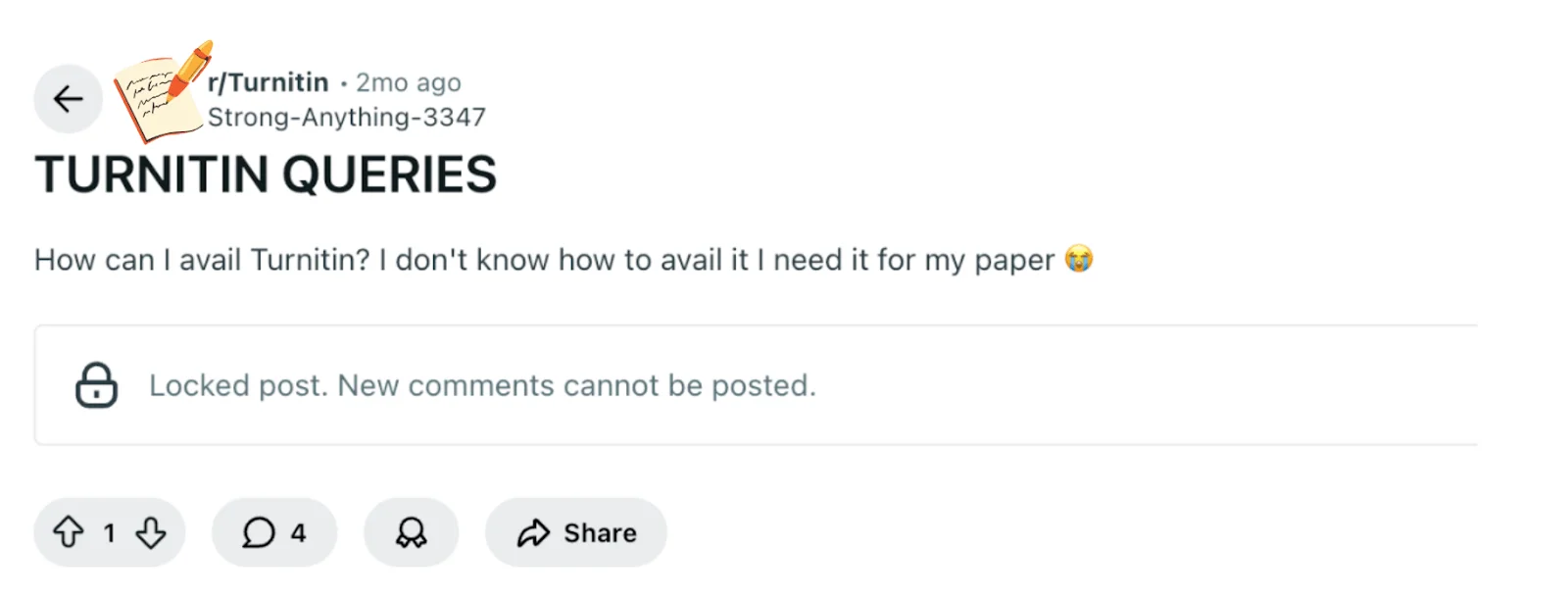
In a Reddit post, a student asked how to “avail” Turnitin for their paper, unsure if they needed approval or if it was self-service.
The key takeaway is that Turnitin access usually depends on your university or adviser, and it’s often tied to the platform you submit your assignments on.
Knowing this helps you navigate submission without unnecessary stress and sets the stage for a clear answer about Turnitin access.
TL;DR Bullets
Turnitin is often integrated into LMS platforms.
Submission usually requires your instructor’s approval or guidance.
Independent Turnitin access is rare.
Quick Answer to Accessing Turnitin
How Students Usually Get Access to Turnitin
1. Through your instructor’s class
Most students use Turnitin after their instructor creates a class. The instructor will provide:
a Class ID
an Enrollment key
You can use these to create a Turnitin student account and join the class.
2. Through your school’s learning platform
Many schools integrate Turnitin into systems like:
Canvas
Blackboard
Moodle
Microsoft Teams
In this case, you simply upload your paper in the assignment page, and the system automatically sends it to Turnitin.
3. Through your institution’s Turnitin account
Some universities give students direct access to Turnitin dashboards where they can submit papers and view Similarity Reports.
If you don’t have school access
If your school doesn’t provide Turnitin access, you generally cannot create an individual account yourself. Your best options are to:
ask your teacher or school administrator
submit through a class assignment
check whether your school provides Turnitin through its LMS
In short, Turnitin access is controlled by schools and instructors, so students typically need to join a class or assignment to use it.
Bonus Tip: Using a Reliable Turnitin Detector Before Submission
If you're looking to review your Turnitin similarity report (including AI detection) before officially submitting your paper, there’s a solution. Turnitindetector offers an easy way to check your work in advance, ensuring you have a clear idea of how it will be evaluated.
By using Turnitindetector, you can:
Preview Your Similarity Score – Receive an in-depth report showing how similar your work is to other sources, highlighting areas for improvement.
Identify AI-Generated Content – Detect any AI-generated sections and see exactly what your professor will notice during their review.
No Risk of Impacting Submission – Your paper is never stored or submitted anywhere, so it won’t affect your final Turnitin score when you submit it.

Turnitindetector allows you to double-check your paper’s originality and AI content before the official submission, giving you peace of mind.
Key Turnitin Concepts You Need to Know
Understanding how Turnitin works is helpful.
Turnitin isn’t a standalone tool you simply log into; it’s integrated into the submission system your school uses.
This integration ensures that your paper is checked automatically when you submit through platforms like Blackboard, Canvas, or Microsoft Teams.
One important term is the Originality Report. This report highlights text in your paper that matches existing sources, showing where your content overlaps with previously submitted papers, publications, or online content.

While this helps detect potential plagiarism, it can also generate false positives, flagging content that is properly cited or common phrasing.
Understanding this helps you see why submission instructions matter: your instructor may specify how to format your paper or when to submit to avoid incorrect matches.
Another key concept is the repository. When you submit a paper, Turnitin may store it in a database to compare with future submissions.
This ensures that new papers are checked against existing work for originality, but it also means that your submission can appear in future checks.
Finally, instructor control is crucial. Your teacher typically decides whether Turnitin is required, what version of your paper is submitted, and how the report is interpreted.
This is why you often cannot access Turnitin independently: the LMS routes submissions in a way that aligns with your school’s policies, making your instructor the gatekeeper for both access and proper use.
By knowing these concepts—submission integration, originality report, repository, instructor control, and false positives—you can better understand why Turnitin access works the way it does and why following your instructor’s guidance is the safest approach.
Why Your University or Adviser Usually Controls Turnitin Access
Turnitin access is often managed by your university or instructor to make sure submissions are handled correctly and consistently.
Since Turnitin is usually integrated into learning platforms like Blackboard, Canvas, or Microsoft Teams, your paper is automatically routed through the system when you submit.
This setup ensures your originality report is generated properly and counted toward your assignment.
Instructors also control timing and settings. They decide whether Turnitin submission is required, which version of your paper should be checked, and how similarity reports are interpreted.
This control helps prevent mistakes, like submitting the wrong file type or missing formatting requirements, which could lead to inaccurate reports or false positives.
Having the university or adviser manage access also aligns with policies around AI or originality checks.
Some schools have specific rules to prevent misuse or misunderstanding of Turnitin reports, so letting the instructor oversee submissions ensures you stay within guidelines.
By understanding that your instructor acts as the gatekeeper, you can focus on following submission instructions confidently and avoid unnecessary stress.
This context naturally leads to looking at how your submission settings can further affect your Turnitin report.
How Submission Settings Affect Your Turnitin Report
Even when you have access to Turnitin through your university platform, the way you submit your paper can directly affect your originality report.
Submission settings—like file type, submission timing, and assignment instructions—determine whether Turnitin processes your paper correctly.
For example, submitting a PDF versus a Word document might matter depending on your course settings, and late submissions could prevent a report from being generated.

Following the assignment’s guidelines also helps reduce false positives, where Turnitin flags text that’s properly cited or common phrasing.
Some schools include extra checks for AI use or other originality concerns, so adhering to formatting and submission rules ensures your report reflects your work accurately.
In practice, this means:
Use the file type your instructor requests.
Submit by the deadline to guarantee a report is created.
Follow any additional instructions about citation, AI usage, or draft resubmissions.
Understanding how these settings work makes it easier to navigate Turnitin without unnecessary stress and sets the stage for evaluating supplementary tools, like third-party detectors, for early checks before official submission.
Conclusion
It’s normal to feel uncertain about Turnitin access. The core answer is that most universities control submissions through their LMS, and you usually need your instructor’s guidance.
Independent access is uncommon, and following submission instructions reduces the chance of errors or false positives.
The best next step is to check your assignment guidelines or reach out to your instructor or course platform support—they can confirm exactly how and when you should submit to Turnitin so your report is valid and counted correctly.