
Can Turnitin Detect AI-Generated Graphics or Images?

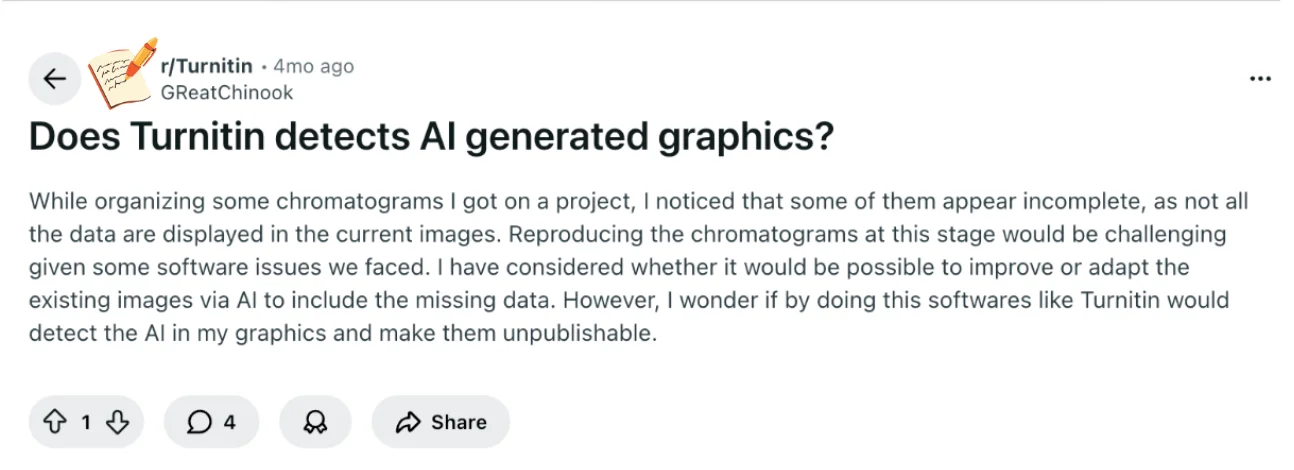
In a Reddit post, a student asked whether adapting chromatogram images with AI to fill in missing data would trigger Turnitin alerts or make the work unpublishable.
This concern reflects a common worry: how does AI use in images intersect with academic integrity and submission rules?
Understanding Turnitin’s capabilities will help you decide your next steps with AI-enhanced visuals.
TL;DR Bullets
Turnitin does not scan images for AI content.
AI-generated graphics are unlikely to be flagged by Turnitin.
Using AI to modify visuals can still be considered academic misconduct.
Only text-based submissions are analyzed for similarity and AI patterns.
Check your institution’s guidelines before submitting AI-modified images.
Quick Answer to AI Detection in Turnitin
If you’re focusing on whether Turnitin will flag AI-modified graphics, the short answer is no.
Turnitin is designed to scan text, so image content—including AI-enhanced graphics—generally isn’t analyzed.
That doesn’t mean you can ignore academic standards, though, because using AI to alter images may still raise concerns with instructors or institutional policies. Knowing this helps you navigate AI use without unnecessary stress.
Turnitin detect AI text, but it does not currently detect AI-generated graphics. It is primarily a text-scanning tool, checking for similarity, originality, and potential AI writing patterns in documents.
Modifying chromatograms or other images with AI is unlikely to trigger any software flags.
That said, academic integrity rules still apply, so instructors might consider uncredited AI modifications to visuals as problematic. Being transparent about AI use is always safer.
Key Turnitin Concepts You Need for This Question
Even though Turnitin won’t detect AI-generated graphics, understanding its main features helps you see why and manage expectations for text content.
Turnitin primarily scans written submissions, comparing your text against a vast database of published work, student papers, and online sources.
The core tools it uses include similarity reports, match lists, and AI writing indicators.
Similarity Reports: These show how much of your text matches other sources. They focus on wording, phrasing, and structure, not visual content like charts or diagrams. A high similarity score doesn’t mean misconduct by itself, but it signals material that may need proper citation.
Match Lists: These list the sources that correspond to your text matches, helping you verify whether quotations, references, or paraphrases are properly attributed.

Again, match lists apply only to text and don’t include images or AI-generated graphics.
AI Writing Indicators: Some Turnitin versions provide an AI detection feature for written content. This looks for patterns typical of AI-generated text, such as repetitive phrasing or unusual syntax. Importantly, this applies only to words, not visual data or image edits.
Repository Settings: Turnitin can store student submissions in a repository to prevent future self-plagiarism. While these settings affect text checks, they do not interact with images.
By understanding these concepts, you can see that Turnitin AI text indicator is text-based. AI-generated graphics—whether reconstructing chromatograms or enhancing visuals—fall outside its detection capabilities.
Recognizing this boundary can reduce anxiety about software flags, though it’s still essential to follow academic integrity rules when using AI for visuals.
Knowing how Turnitin operates sets the stage for evaluating AI-modified images and deciding what documentation or labeling might be necessary before submission.
Understanding AI-Modified Images in Academic Work
Even though Turnitin won’t detect AI-generated graphics, using AI to modify images can still raise academic concerns.
When you enhance or reconstruct chromatograms, you’re changing data presentation, and some instructors may view uncredited modifications as a breach of academic integrity.
The key is transparency: being clear about what was altered or generated with AI reduces the risk of misunderstandings.
Policies can vary between institutions or even between assignments. Some programs may allow AI-assisted visuals if you document your process, while others may discourage it entirely.
Because these rules aren’t uniform, it’s hard to predict exactly how your AI-modified images will be received.
Practical steps include keeping the original images, noting the specific changes made with AI, and providing explanations in figure captions or your methods section. Even minor clarifications can show that you’re handling AI responsibly.
By understanding these considerations, you can confidently decide whether and how to use AI in your visuals while respecting academic standards, which sets the stage for best practices in managing AI-generated graphics before submission.
Best Practices When Using AI for Graphics
Since Turnitin won’t flag AI-generated images, your focus should be on maintaining transparency and integrity.
Using AI to enhance or reconstruct chromatograms can be helpful, but it’s important to document what you’ve changed so your work remains credible.
Start by keeping the original images and clearly labeling any AI modifications. This helps anyone reviewing your work understand what was generated or altered, and it protects you if questions arise.
If possible, include a brief note in figure captions or the methods section explaining how AI was applied.
Consulting your instructor or supervisor before submitting AI-modified visuals can also prevent misunderstandings.
They can clarify whether AI-assisted images are acceptable for your assignment or provide guidance on how to present them properly.
Other practical tips:
Retain both the original and AI-enhanced images for reference.
Avoid letting AI change the underlying data; it should only enhance or reconstruct visuals without introducing unverified results.
Be upfront about AI use in any documentation or captions.
Following these practices ensures that you can benefit from AI tools while staying within academic integrity standards and minimizing potential issues.
Bonus Tip: Precheck Your Turnitin AI Score Before Submission
Before submitting your paper, you can preview how it will be evaluated for similarity and AI content. Turnitindetector is a reliable tool that helps you assess your work ahead of time, giving you a clear understanding of how your professor might review it.
Using Turnitindetector, you can:
Preview Your AI Score – Get an early look at your paper's Turnitin AI detection results, helping you identify any content that might be flagged as AI-generated.
Review Similarity Report – Check for similarities between your paper and online sources, highlighting areas that need revision.
No Submission Risk – Your paper is not stored or submitted to any database, ensuring it won’t affect your final Turnitin report.

With Turnitindetector, you can confidently review your paper’s originality and AI content before making your official submission.
Conclusion
You’re worried about Turnitin detecting AI-generated graphics, especially when modifying chromatograms for missing data.
Based on current capabilities, Turnitin does not scan images, so your AI-enhanced visuals are unlikely to be flagged. The key is academic integrity: document any AI use, keep originals, and consult your instructor if you’re unsure.
This approach minimizes risk and ensures you handle AI responsibly while maintaining transparency in your work.